TABLE OF CONTENTS
Summary
Concerns levels is an optional function that allows concerns to have a level assigned by a DSL during the triage stage. This can be used to represent a 'risk rating' for the Individual Concern, usually low, medium and high. The terminology can be customised to suit your school, but the prefixes will always be L, M, H.
If you enable this feature, all Concerns will have their Concern Level set to the default value of 'Low'. You will be able to set any higher Concern Level on a case-by-case basis. When setting or changing a Concern Level you may want to record a rationale which will show in the relevant chronology. In addition to appearing on the Concern, you can also filter the concerns dashboard by concern level.
Note: If you are unable to see concern levels, this is because they have not been enabled in your admin area yet.
How to set up and use concern levels
You will need Account Admin permissions to manage the origin of concern.
- Go to the Admin tab
- Click Concerns
- Click edit under Concern Levels
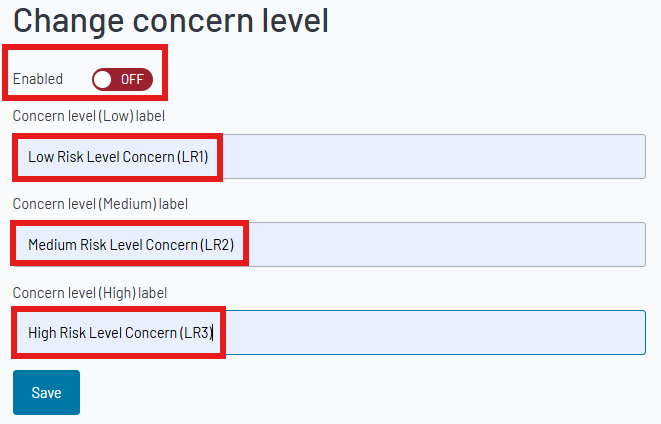
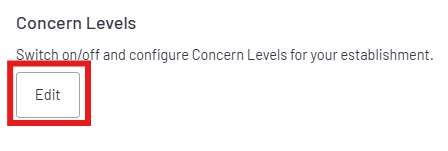 4. To enable concern levels, switch the toggle to On.
Using the boxes highlighted below, you can customise the names to suit your own policies. Click Save to update the system with those changes.
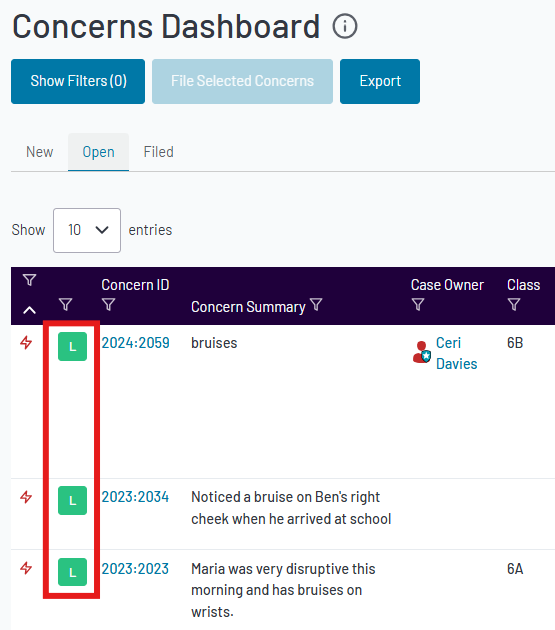
5. Once this feature is enabled, all concerns in the open tab will show a default level of Low.
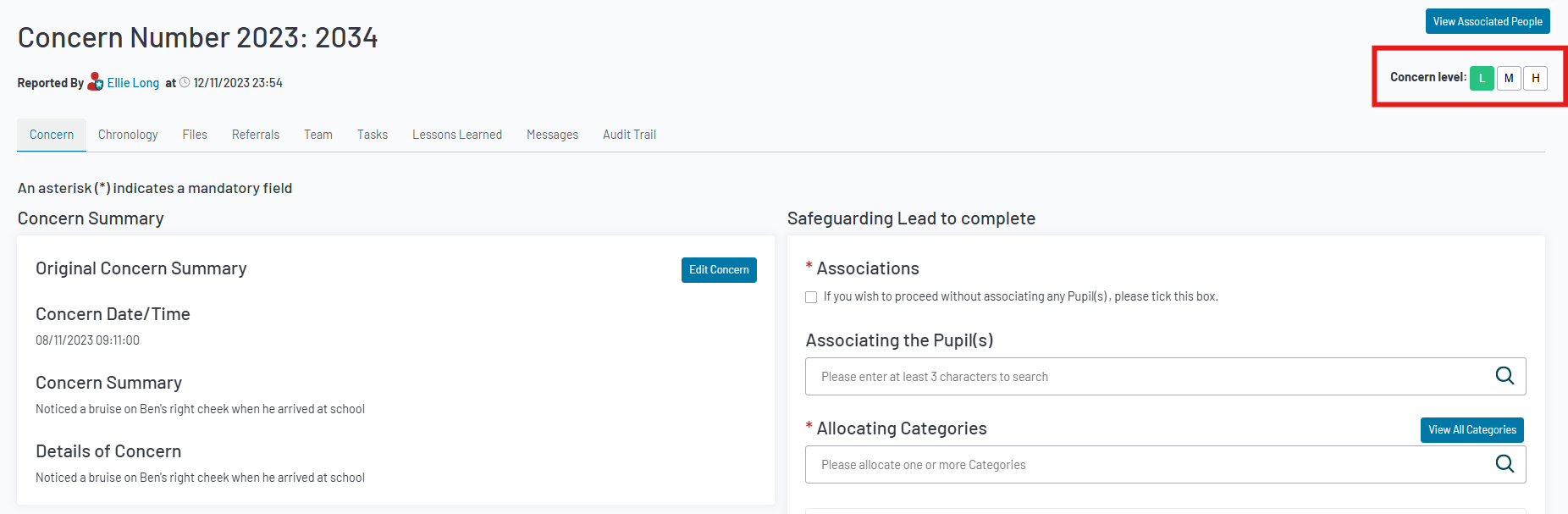
6. To update the level, click the Concern ID number to open the concern. You will find the concern level on the top right corner. To change the level, click the relevant icon.
Note: Updating the concern level should be part of the concern triage process, if this feature is enabled - Click here for more info
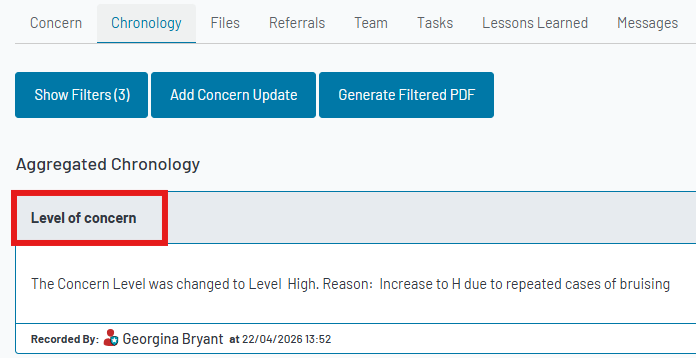
7. When updating the level of concern, the pop-up will prompt you to enter the reason for the change. This will be added to the chronology. An example may be that there is a pattern of this type of concern and the level may be upgraded to high so that it is treated with more severity.
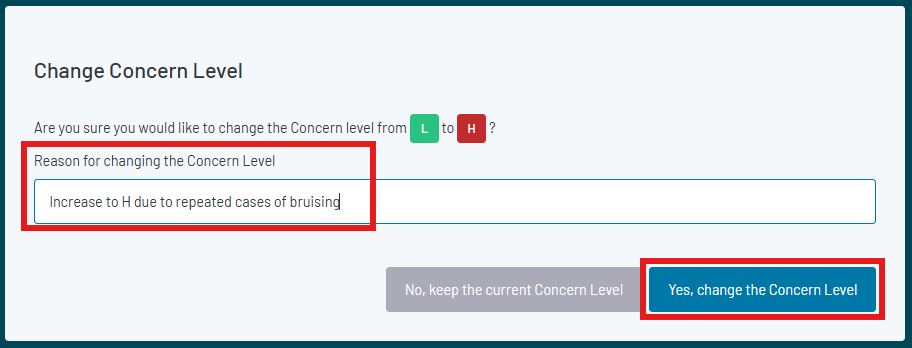
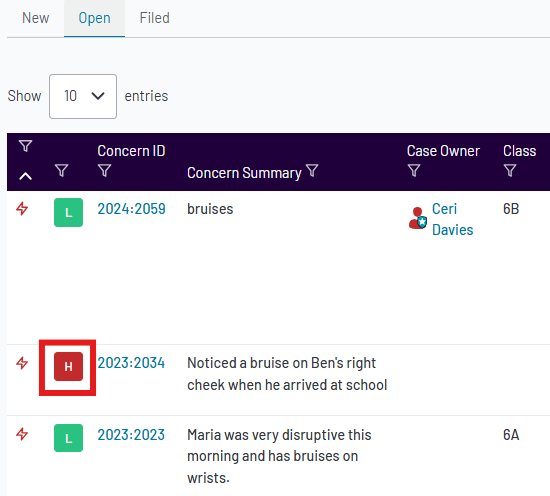
8. Two indicators that you have successfully added a level of concern:
- The concern level shows updated in the concern dashboard.
- The concern chronology shows the Level of concern and reason for the change.
Was this article helpful?
That’s Great!
Thank you for your feedback
Sorry! We couldn't be helpful
Thank you for your feedback
Feedback sent
We appreciate your effort and will try to fix the article