TABLE OF CONTENTS
Summary
This article will explain how to add users in bulk to your MyConcern Safeguarding Concerns system.
Use case and Prerequisites
The following information would be useful for a user looking to add new members of staff, so they are able to report safeguarding concerns.
To carry out this action, admin permissions are required and you will need to be logged in to your safeguarding system.
Bulk uploading users
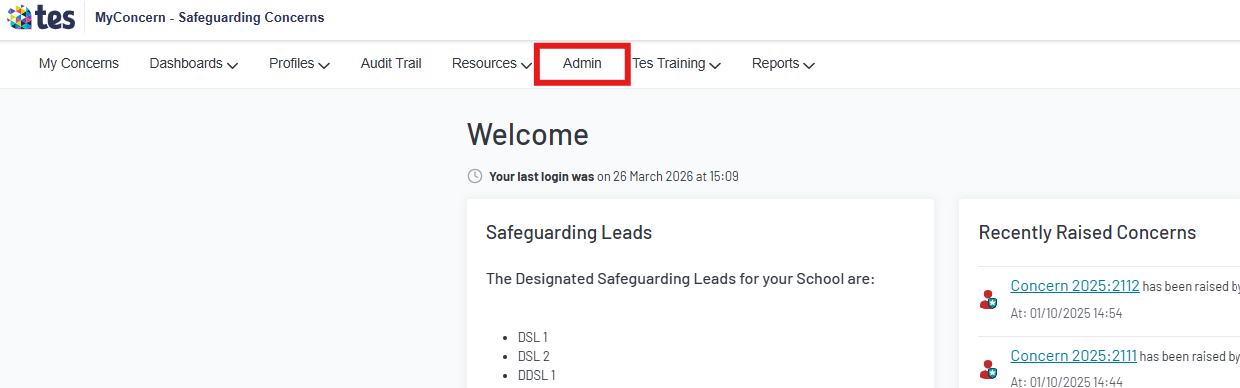
- Click on the admin tab at the top of the screen
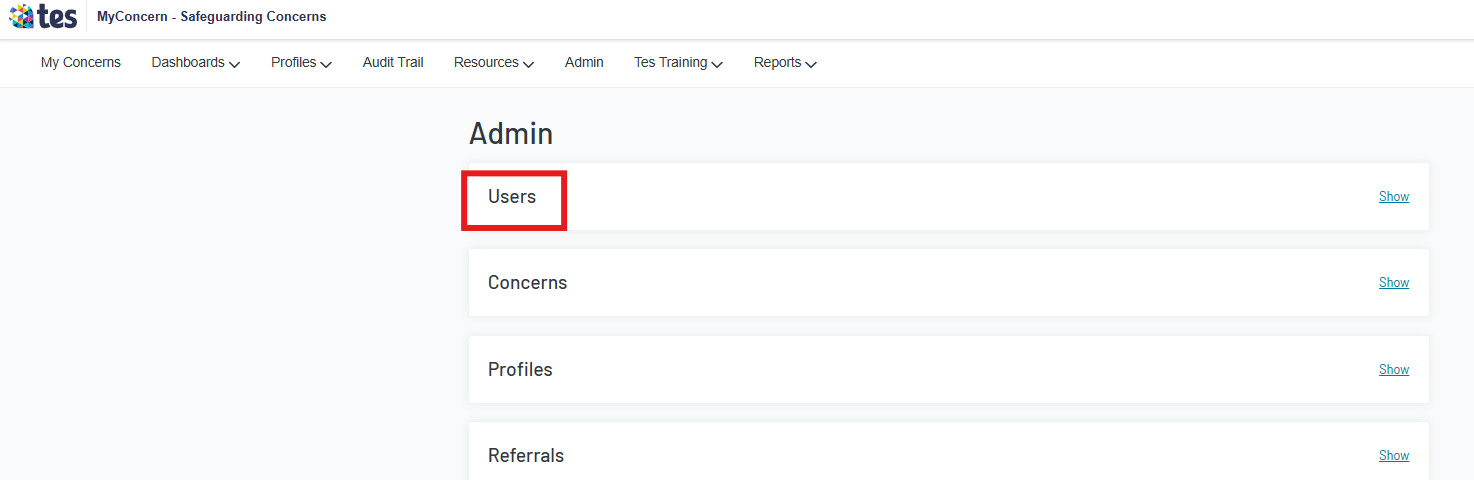
- Click users to open options
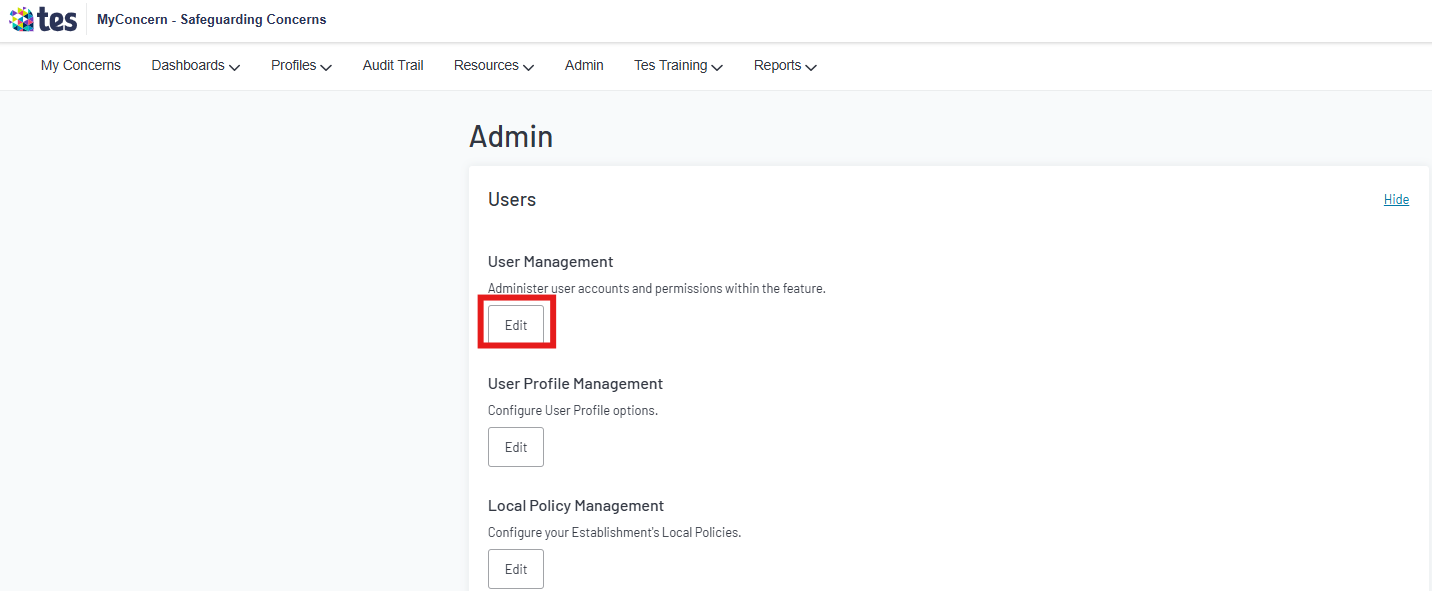
- Click Edit under User Management
- Click 'Bulk Upload'

- Download the template to follow
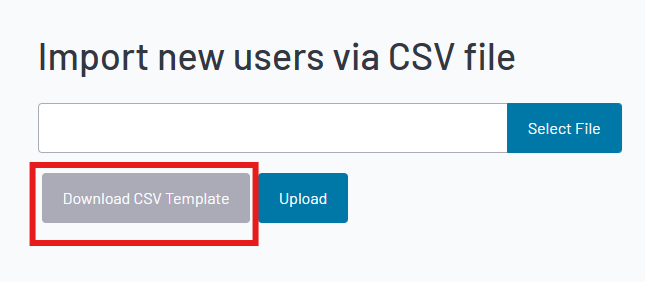
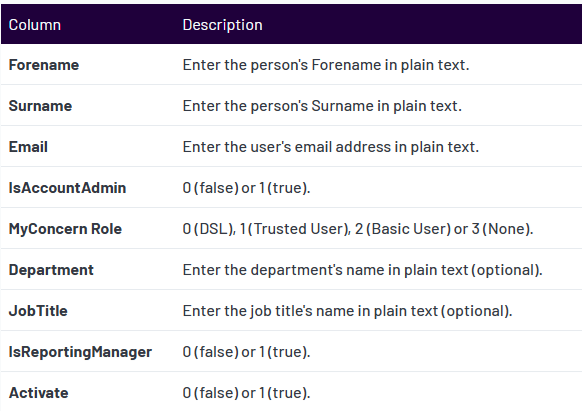
- When filling in the template to make you follow the guidance below ( or on the right of where you select the file)
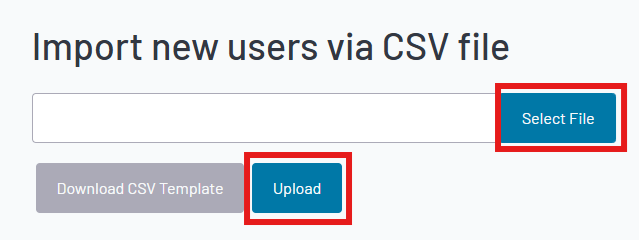
- Once complete, select the file and click upload
Helpful tips:
- It is important to follow the instruction guide carefully and avoid reformatting the CSV template to prevent errors during the upload process.
- Each user will need a unique email address.
- To understand the different MyConcern roles, and permission levels, please click on this guide here: Understanding user permissions
- The ‘Department’ and ‘Job Title’ information is optional; you can only successfully upload this information if you have enabled these fields and set up your bespoke list of ‘Departments’ and ‘Job Titles’ in ‘admin’ first. For further information, please see Configuring Department & Job Title- INSERT LINK.
- If the ‘Activate’ value is set to ‘1 (true)’, your users will receive an automatic ‘activation email’, inviting them to set up a password and log into MyConcern when you complete the upload. If you set the ‘Activate’ value to ‘0 (false)’, you will need to later ‘activate’ their account manually within ‘User Management’.
Was this article helpful?
That’s Great!
Thank you for your feedback
Sorry! We couldn't be helpful
Thank you for your feedback
Feedback sent
We appreciate your effort and will try to fix the article