TABLE OF CONTENTS
Summary
Concern preferences are optional settings around the creation, amendment and viewing of a concern. They allow you to mark concerns as urgent or high priority, enable case owners and the mandatory allocation of categories.
How to configure concerns preferences
You will need Account Admin permissions to configure concern preferences.
- Go to the Admin tab
- Click Concerns
- Click edit under Concern Preferences
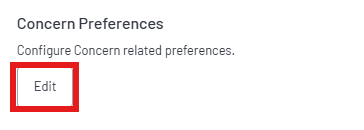
4. Preferences are managed by toggles. Switch to On or Off depending on what you require.
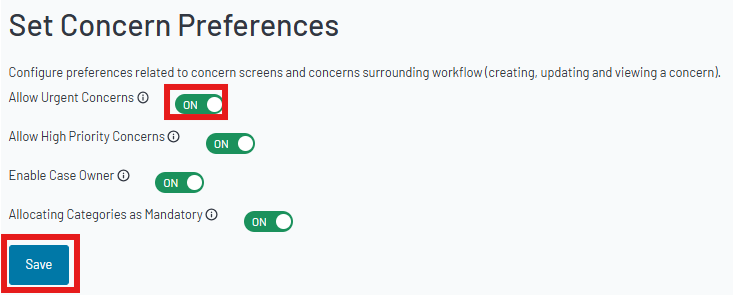
Urgent Concerns
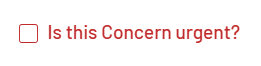
If you switch on ‘Urgent Concerns’ it will add a check box to the report a concern form allowing. This allows the concern to be marked as urgent. It cannot be removed from the concern once it has been reported and the concern will show as urgent permanently.
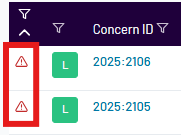
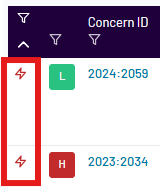
Urgent concerns will be marked with the symbol show below and will be shown towards the top of your concerns dashboard.
High Priority Concerns
If you choose to switch this feature on, a new option will appear when triaging the concern. This will allow designated safeguarding leads to mark it as a high priority. High Priority concerns will be pinned at the top of your concern dashboards.

High priority concerns will be marked with a lightening symbol.
Case Owner
If you switch this feature on, it will allow Designated Safeguarding Leads to assign a DSL or Trusted user as a case owner when triaging. This will allow them to take ownership and update the concern.
Note: Trusted users with case owner access will still have limitations, for example they cannot file a concern or access associated profiles.

Allocating Categories as Mandatory
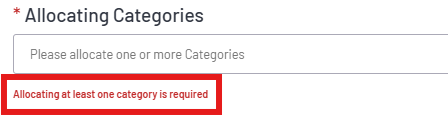
If you enable this feature, it will mean that it is mandatory to add a category before filing a concern. Filing a concern without a category allocated will prompt a reminder to appear.
Note: Bulk filing concerns is an exception. Users will not be prompted to check concerns have at least one category allocated when bulk filing concerns from the dashboard.
Note: Bulk filing concerns is an exception. Users will not be prompted to check concerns have at least one category allocated when bulk filing concerns from the dashboard.
Was this article helpful?
That’s Great!
Thank you for your feedback
Sorry! We couldn't be helpful
Thank you for your feedback
Feedback sent
We appreciate your effort and will try to fix the article