TABLE OF CONTENTS
Summary
This article is mainly aimed at DSLs and trusted users that are likely to receive emails relating to concerns/profiles.
All users can set up their own email preferences. This will allow you to choose which emails you feel you should/shouldn’t receive depending on your levels and responsibilities.
The preferences that are displayed vary depending on if you are a Designated Safeguarding Lead, Trusted User or a Basic User.
How to manage your notification preferences
To set up your email notifications you will need to follow the below steps:
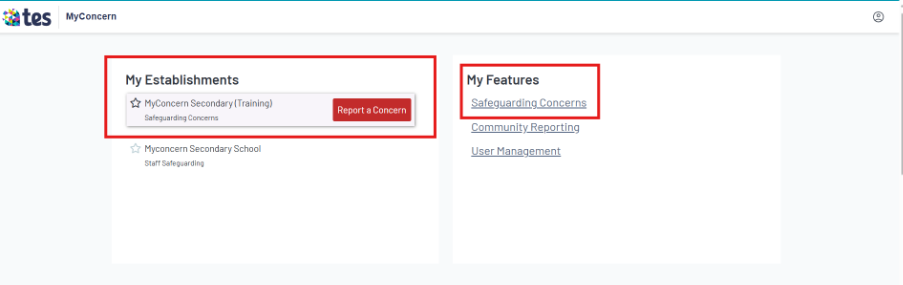
- Log in to MyConcern by clicking on Safeguarding Concerns under My Establishments and My Features
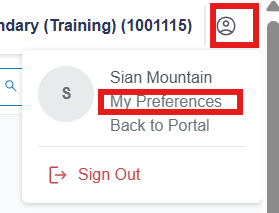
- Click on the person icon in the top right-hand corner and select My Preferences
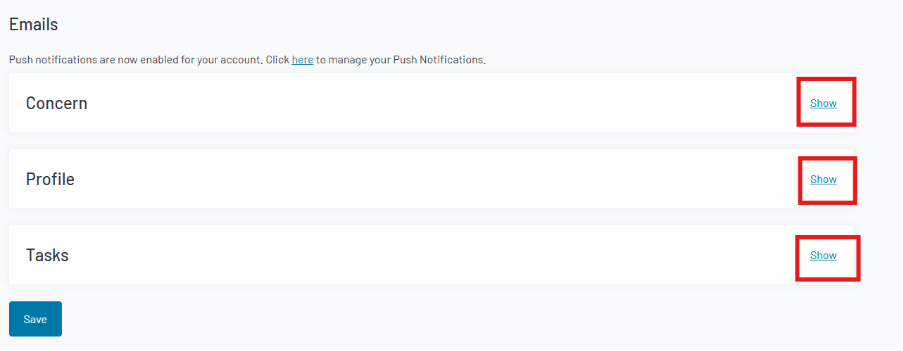
- Click Show next to 'Concern', 'Profile' and ' Tasks' to view all options
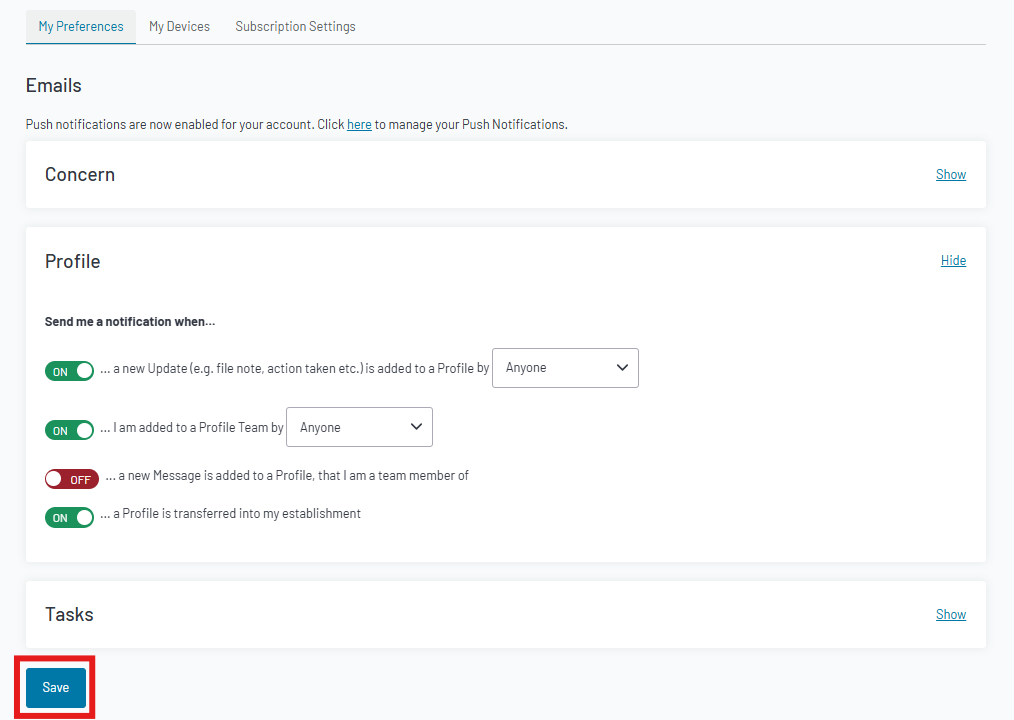
- Your preferences can be amended by switching the toggles between On or Off

- Once you have amended your preferences, click Save at the bottom of the page
Common issues/Troubleshooting
- If you are not receiving email notifications after amending your preferences, please check your junk/spam folders
(If the emails are not in junk/spam, please submit a ticket via the button in the help and support portal)
Was this article helpful?
That’s Great!
Thank you for your feedback
Sorry! We couldn't be helpful
Thank you for your feedback
Feedback sent
We appreciate your effort and will try to fix the article