TABLE OF CONTENTS
Summary
In the admin area of your system, you can configure your search preferences to allow you to control the amount of detail shown within the pupil searches.
This is establishment wide and not just personal preference.
An example for when you might use this may be if you are a larger school, you might want to include more details in your search preferences to differentiate between pupils with similar names.
How to configure your schools search preferences
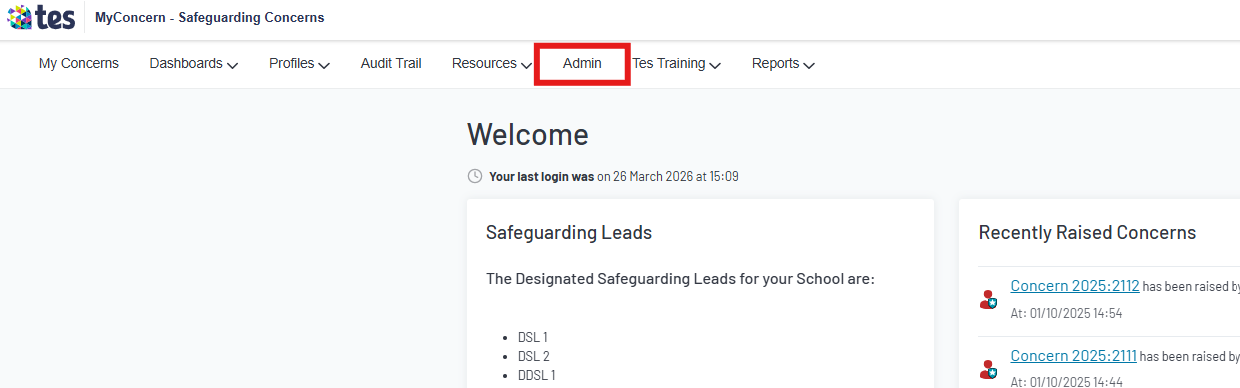
- Click into the Admin tab
- Click 'Show' next to System
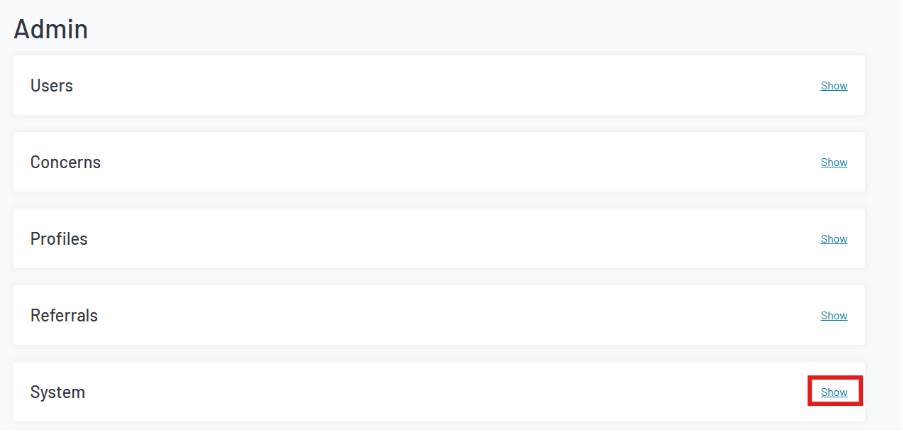
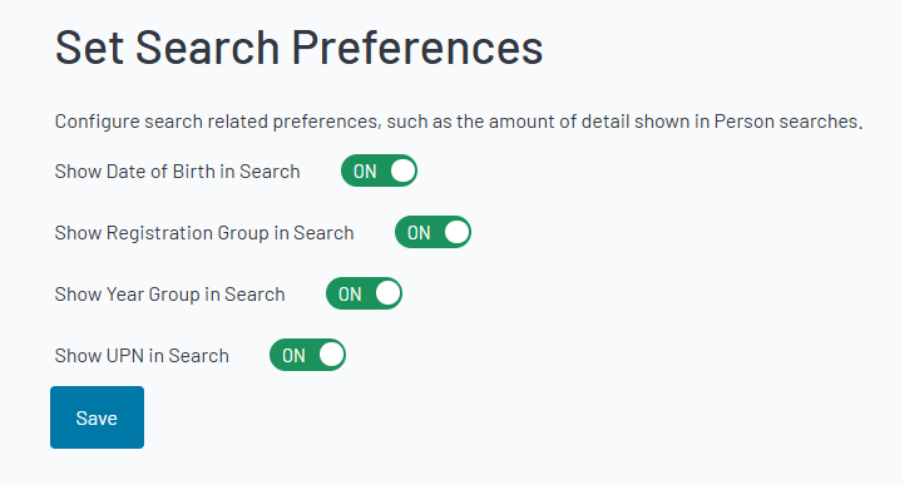
- Click 'Edit' under Search Preferences

- Set your search preferences by switching the toggles between On/Off
Outcome
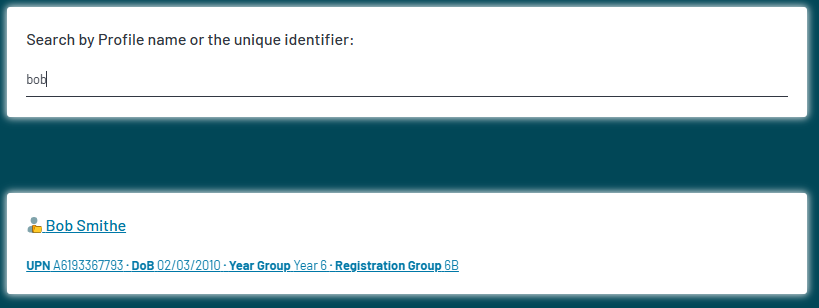
When you search for a pupil using the 'Search Profiles' bar at the top right, the information displayed below the pupil is what is determined by these settings.
Was this article helpful?
That’s Great!
Thank you for your feedback
Sorry! We couldn't be helpful
Thank you for your feedback
Feedback sent
We appreciate your effort and will try to fix the article