TABLE OF CONTENTS
Summary
This article is aimed at MyConcern admin users, who are responsible for the management of users.
To get to this stage you need to go to Admin, Users, User Management (click edit).
How to amend user permissions
Once in user management, you will see a list of all user accounts
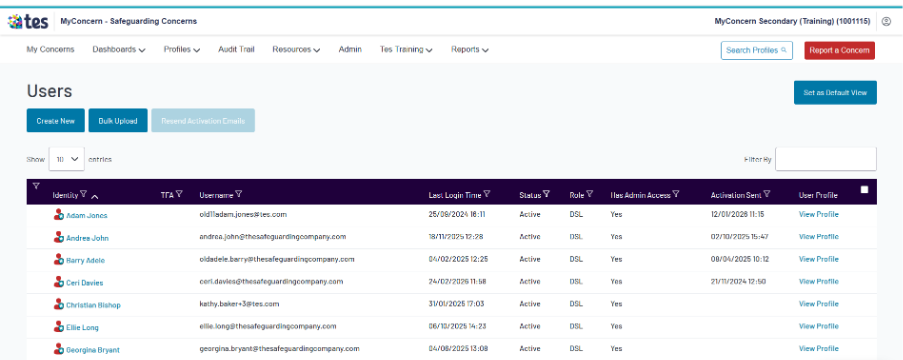
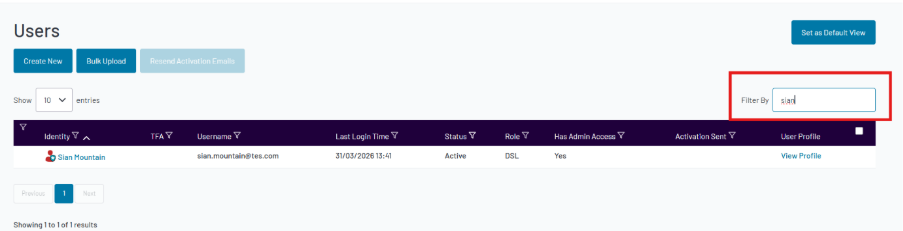
To change permissions for an individual, use the filter by box on the right-hand side to search for their name and locate the account
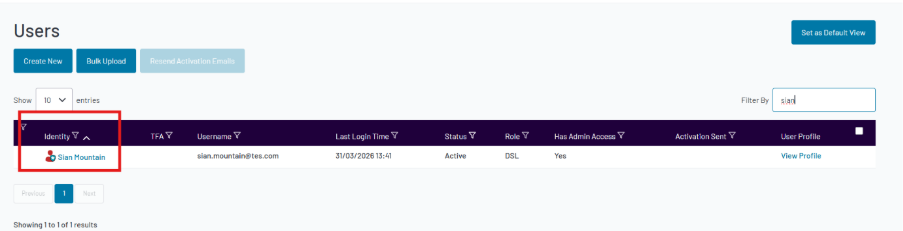
Then click on their name under the identity column to get to the ‘Edit user’ page
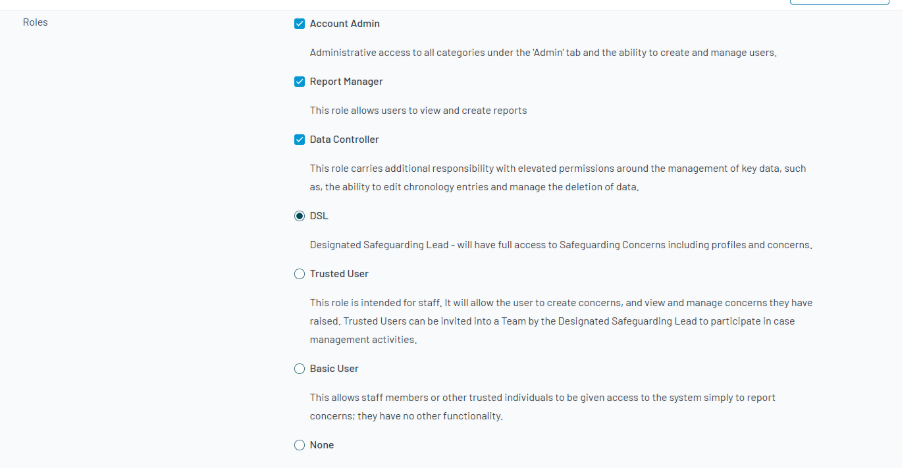
Permissions can be amended by selecting/deselecting the boxes below
Scroll to the bottom and click ‘save’
Was this article helpful?
That’s Great!
Thank you for your feedback
Sorry! We couldn't be helpful
Thank you for your feedback
Feedback sent
We appreciate your effort and will try to fix the article