TABLE OF CONTENTS
Summary
Involvement types are used when multiple pupils are associated to a concern. By recording involvement types, you can easily understand who is a victim, witness or perpetrator/instigator. Reports run on involvement type may help identify patterns in behaviour and lead to intervention.
This article will explain how to configure involvement types and how to use them.
How to configure and use involvement types
You will need Account Admin and DSL permissions to manage your involvement types.
- Go to the Admin tab
- Click Concerns
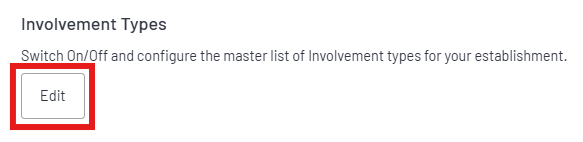
- Click edit under Involvement Types
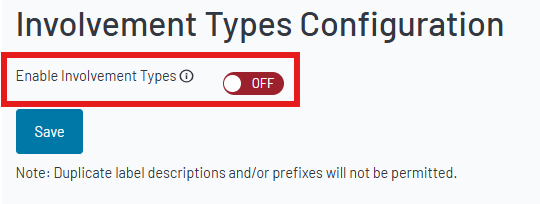
4. To enable the involvement type feature, switch the toggle to On and click Save.
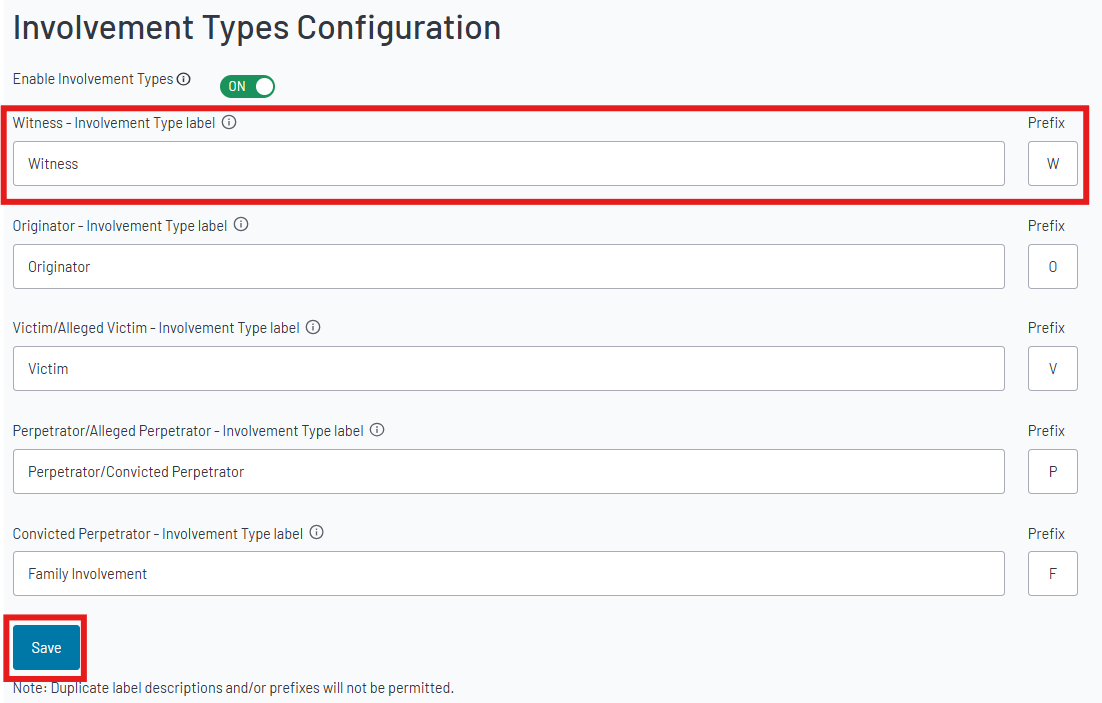
5. Involvement types will be set up with default labels and prefixes. You can update these inline with your own policies by clicking in to the text box. If you make any changes, click Save to confirm.
Note: Duplicate labels and prefixes are not permitted, to avoid confusion.
6. Once you have enabled your involvement type labels, all staff will be able to add this when reporting a concern.
Note: A profile will need to be associated for this option to be visible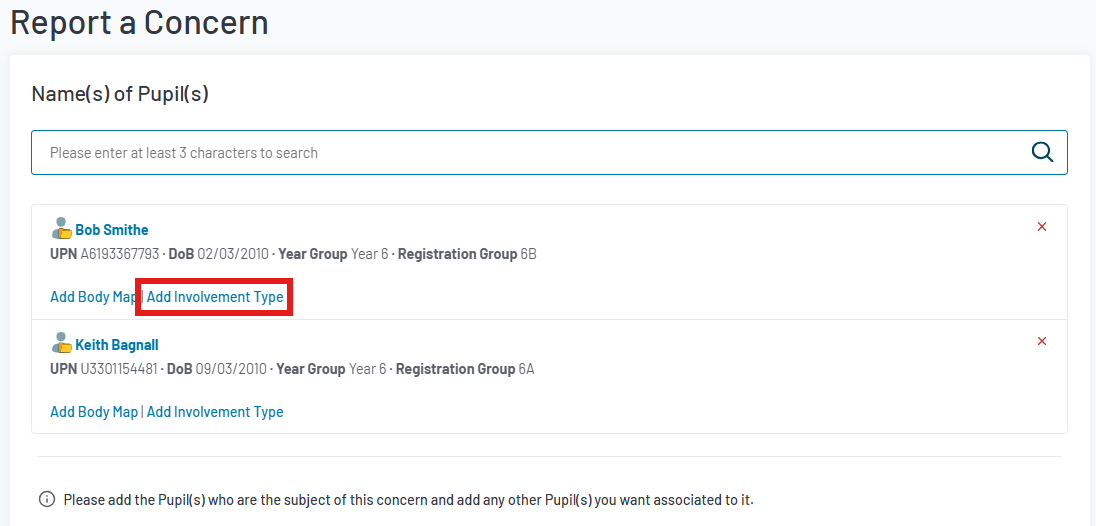
7. The pop-up will allow you to select one or more involvement types per pupil.
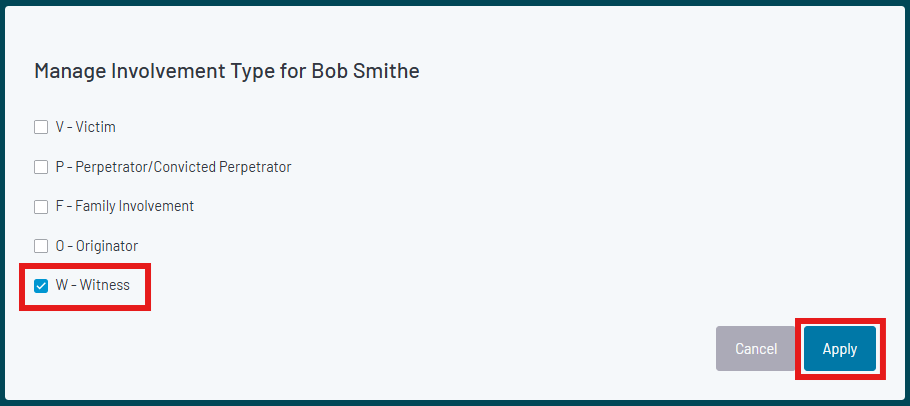
8. Once applied, you will see the involvement type indicated by the prefix next to the pupil's information.
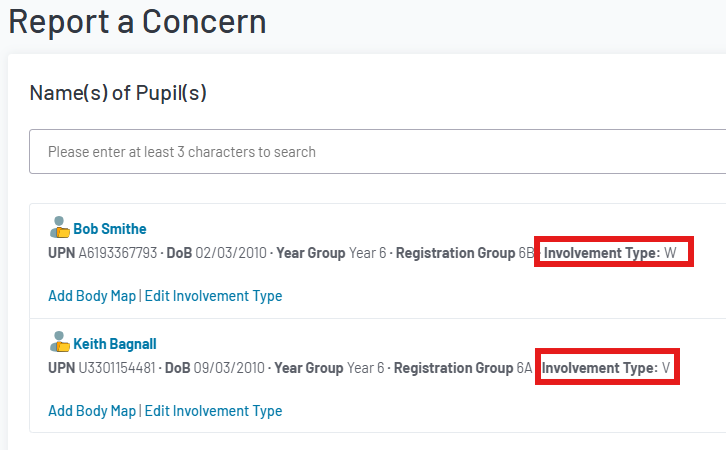
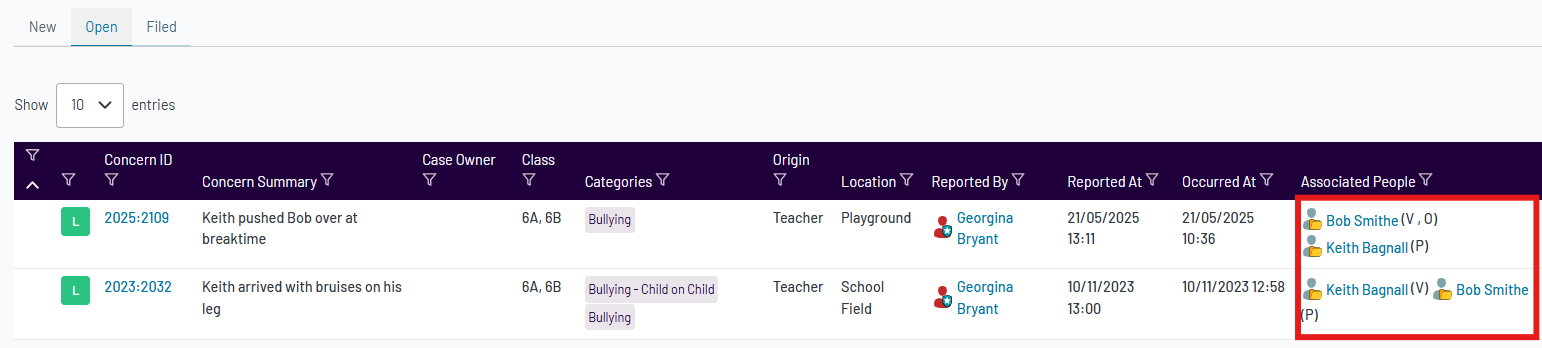
This is also visible in the concerns dashboard, allowing you to identify involvement types easily.
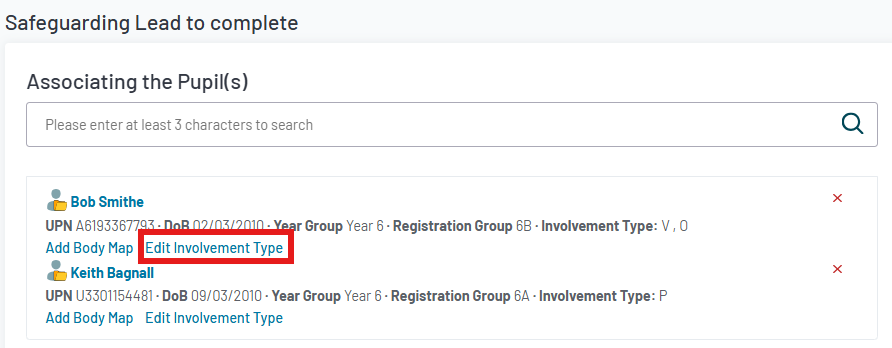
9. A DSL will be able to edit the involvement type when triaging the concern.
Was this article helpful?
That’s Great!
Thank you for your feedback
Sorry! We couldn't be helpful
Thank you for your feedback
Feedback sent
We appreciate your effort and will try to fix the article